IPTV Smarters Pro Subscription in Qatar – 1 Year
Looking for an IPTV Smarters Pro subscription in Qatar? This 1-year IPTV subscription is designed for customers who want to use a compatible IPTV player and streaming device to access the content included with their selected IPTV service.
Choose the available subscription, complete your order and follow the activation instructions provided with your purchase. Before ordering, make sure your Smart TV, Android TV, streaming device or other supported equipment is compatible with the required IPTV application.
Whether you are looking for IPTV Smarters Pro in Doha or elsewhere in Qatar, this page provides the key information you need about the subscription, compatible devices, setup process, streaming requirements and support.
IPTV Smarters Pro Subscription Features
This IPTV subscription is designed for customers who want a convenient way to access their IPTV service through a compatible IPTV player.
Depending on your selected service and available content, key features may include:
- 1-year IPTV subscription
- IPTV Smarters-compatible setup
- Support for compatible Smart TVs and streaming devices
- Live television access where included with the selected service
- Video-on-demand access where included
- HD and higher-resolution streaming where supported
- Compatible Android TV and Android-based devices
- Digital activation
- Setup assistance
- Customer support
The exact channels, programs, video quality and other content available to you depend on the IPTV service, source content, device and subscription package.
For the best experience, always check the package information before purchasing.

Check IPTV Subscription Price
What Is IPTV Smarters Pro?
IPTV Smarters Pro is an IPTV player application that can be used to organize and play IPTV content from a compatible IPTV service.
It is important to understand the difference between the IPTV player and the IPTV subscription.
The player is the software used to access and organize your IPTV content. Your IPTV subscription is the service or content source that provides the channels, video-on-demand library or other programming.
Therefore, installing IPTV Smarters Pro by itself does not automatically provide television channels or movies.
You need a compatible IPTV service and the appropriate login, playlist or activation information supplied by that service.
For Qatar customers, IPTV Smarters can provide a convenient interface for accessing a compatible IPTV service on supported devices.
What Is Included With This IPTV Subscription?
The subscription provides access according to the package selected during purchase.
Depending on the service configuration, available features may include:
Live TV
Access to live television content included with your subscription and available from the service provider.
Video on Demand
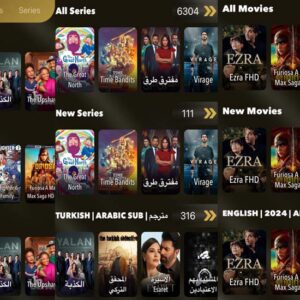
Where included, VOD allows you to browse available movies, programs and other on-demand content.
Sports Content
Sports availability depends on the package and the rights associated with the content. Availability can change, so check the current package information before ordering.
HD and 4K Streaming
Higher-resolution playback depends on the source content, subscription, device, application and internet connection. Not every channel or program is necessarily available in 4K.
Regular Content Updates
Where applicable, content libraries can be updated by the service provider. The exact frequency and availability of updates can vary.
Important: Content availability can change. Please use the information displayed at checkout as the final reference for your selected package.
Compatible Devices
Before purchasing an IPTV Smarters Pro subscription, confirm that your device supports the required IPTV player or compatible application.
Depending on the application version and device, supported equipment may include:
- Android TV
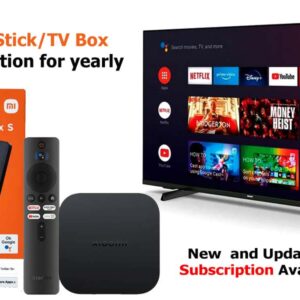
- Android TV Box
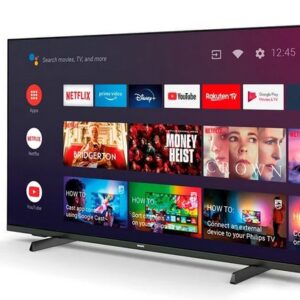
- Compatible Smart TVs
- Android smartphones
- Android tablets
- Compatible streaming devices
- Other supported IPTV platforms
Compatibility can vary by device model, operating system and application version.
If you are unsure whether your device is supported, contact our support team before purchasing.
IPTV Smarters Pro for Android TV
Android TV is one of the common platforms used for IPTV streaming.
If you have a compatible Android TV device, you can install a supported IPTV player and enter the activation or login information supplied with your IPTV subscription.
For the best experience:
- Connect your Android TV to a stable internet connection.
- Install the compatible IPTV application.
- Enter the subscription details provided after purchase.
- Follow the application’s setup instructions.
- Select the available live TV or on-demand content.
The exact installation process can vary depending on the Android TV model and application version.
IPTV Smarters Pro for Smart TV
If you want to use IPTV on a Smart TV, first check whether your television supports the required application.
Supported functionality can vary between Samsung, LG and other Smart TV platforms. Application availability may also change over time.
After confirming compatibility, install the supported IPTV application and enter the activation information supplied with your subscription.
If your Smart TV does not support the required application, an alternative compatible streaming device may be necessary.
IPTV Smarters Pro Setup in Qatar
Setting up your IPTV subscription does not need to be complicated.
Step 1: Choose Your Subscription
Select the available 1-year IPTV subscription and review the package details before purchasing.
Step 2: Complete Your Order
Enter your correct contact information and complete the checkout process.
Step 3: Receive Your Activation Information
After your order is processed, you will receive the activation or login information according to the delivery method associated with the product.
Step 4: Install a Compatible IPTV Player
Install the appropriate IPTV player on your supported device.
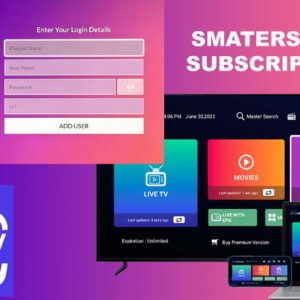
Step 5: Enter Your Subscription Details
Use the activation or login information supplied with your subscription.
Step 6: Start Streaming
Once your setup is complete, you can access the content available with your subscription.
If you experience difficulty during setup, contact customer support for assistance.
How to Activate Your IPTV Subscription
The general activation process is:
- Purchase the 1-year subscription.
- Provide accurate contact information during checkout.
- Receive your subscription or activation information.
- Install the required compatible IPTV player.
- Enter the supplied login or activation details.
- Complete the application setup.
- Access the content available through your subscription.
Activation requirements may vary depending on the IPTV service and device you are using.
IPTV Streaming Quality and Internet Requirements
Your IPTV streaming experience depends on more than your subscription.
Important factors include:
- Internet connection stability
- Available bandwidth
- Wi-Fi signal strength
- Streaming device performance
- Video resolution
- Application performance
- Network congestion
- Source-stream performance
For HD and higher-resolution video, a stable broadband connection is recommended.
If your device supports Ethernet, a wired connection can sometimes provide a more consistent connection than Wi-Fi.
If you experience buffering, first check your internet connection and restart your router and streaming device. You should also make sure your application and device software are up to date.
No IPTV provider can guarantee that every user will experience zero buffering because network conditions vary between customers and devices.
IPTV Smarters Pro Subscription in Doha and Qatar
Customers searching for IPTV Smarters Pro subscription Qatar, IPTV Smarters Qatar or IPTV subscription Qatar are often looking for a convenient way to use an IPTV service on a compatible television or streaming device.
This subscription is available for customers in Qatar who want a 1-year IPTV service and a compatible IPTV-player setup.
Whether you are located in Doha, Al Rayyan, Al Wakrah, Umm Salal or another area of Qatar, you can review the product information online before purchasing.
Your actual streaming experience will depend on your internet connection, compatible device, application and the content included with your selected service.
How to Choose the Right IPTV Subscription
Before purchasing an IPTV subscription, consider the following:
1. Check Device Compatibility
Make sure your Smart TV, Android TV Box or streaming device supports the required IPTV player.
2. Check the Subscription Duration
This product provides a 1-year subscription. Confirm the duration before completing checkout.
3. Review Available Content
Content availability can vary between IPTV services. Check the current package information rather than relying on outdated channel lists.
4. Consider Streaming Quality
If you want HD or 4K playback, make sure your device, internet connection and the source content support the required resolution.
5. Check Customer Support
Choose a provider that gives customers a clear way to request assistance with activation and setup.
6. Understand the Terms
Review the product information and applicable terms before completing your purchase.
IPTV Smarters Pro Subscription FAQs
What is IPTV Smarters Pro?
IPTV Smarters Pro is an IPTV player application used to organize and play content from a compatible IPTV service. The application itself is not the content provider.
Does IPTV Smarters Pro include channels?
No. IPTV Smarters Pro is a player. The channels, movies, series and other content depend on the IPTV service connected to the application.
How long is this IPTV subscription?
This product is offered as a 1-year subscription. Always check the current product configuration and checkout information before ordering.
Can I use IPTV Smarters Pro on Android TV?
Compatible versions of IPTV Smarters or supported IPTV players can be used on compatible Android TV devices. Compatibility depends on the device and application version.
Can I use IPTV Smarters Pro on a Smart TV?
It depends on the Smart TV model and application availability. Check whether your television supports the required IPTV application before purchasing.
Does this IPTV subscription support 4K?
4K playback depends on the source content, subscription, application, device and internet connection. Not every channel or program is necessarily available in 4K.
What internet speed do I need for IPTV?
The required connection depends on the video resolution and network conditions. A stable broadband connection is recommended, particularly for HD and 4K streaming.
How do I activate my IPTV subscription?
After purchasing, follow the activation instructions supplied with your subscription. You may need to install a compatible IPTV player and enter your supplied login or activation information.
Do you provide IPTV setup assistance?
Support is available according to the support options associated with the product. Contact customer support if you need assistance with your compatible device or activation.
Can I use my IPTV subscription outside Qatar?
Availability and permitted use depend on the terms of the subscription and the applicable content rights. Check the product terms before using the service outside its intended market.
How quickly will I receive my activation details?
Activation timing depends on the order process and the selected product. Follow the instructions displayed during checkout and contact support if your activation information does not arrive within the stated timeframe.
Can I use IPTV on multiple devices?
This depends on the terms and configuration of your selected subscription. Check the product details before attempting to use the subscription on multiple devices simultaneously.